Hosting a private Dart package repository
Improvements in Dart 2.15 for secure enterprise package hosting
Our recent Dart 2.15 release added support for private
package repositories. A package repository is a server that
hosts Dart packages for consumption by the
dart pub client. This post discusses how to use
private package repositories alongside
pub.dev, leveraging the new
token authentication mechanism introduced in Dart 2.15.
This feature has already been adopted by Cloudsmith and JFrog Artifactory who offer custom package repositories as a service:

Why use a custom package repository?
#The default package repository, pub.dev, is operated by the Dart team. It facilitates publication of Dart packages for public use, and allows any Dart developer to consume those packages simply by adding the name of the package to their pubspec file. This enables a rich collection of Dart packages to be created by an active ecosystem. However, a custom package repository might be useful in the following scenarios:
-
Sharing private packages within an organization. This could be an organization looking to share internal proprietary packages among the members of the organization, and not with the general public.
-
Tight control of dependencies in enterprise environments. Some corporations want to explicitly create allow-lists for specific package versions approved for usage. This might be done to enforce code review policies or license compliance.
-
Secure environments without public internet access. Some organizations operate in a regulatory environment where connections to the public internet, and by extension pub.dev, are not allowed. This typically applies to government agencies/contractors and some banking service providers.
Organizations that just need to share a few proprietary
packages (scenario 1) might use
git-dependencies. This is a powerful mechanism because thedart pub
client command invokes the git client for
cloning git-dependencies — this way you might authenticate
cloning a dependency using your SSH key, and manage
permissions using GitHub/GitLab teams. With
GitHub support for SSH using Yubikeys
this setup works well in some cases.
However, git-dependencies in dart pub have some
limitations when it comes to version solving. When using a
git-dependency, dart pub just clones the tag /
branch / ref specified in pubspec.yaml, because
there is no mechanism for trying multiple versions of the
dependency. Thus, using a private custom package repository
can be attractive because a custom package repository can
supply the dart pub client with a list of
versions, allowing the
version solver
to pick a compatible version and avoid conflicts. It also
makes it easy to upgrade both private and public
dependencies using
dart pub outdated and
dart pub upgrade --major-versions.
Git dependencies doesn’t support organizations looking for tighter control around dependencies (scenario 2) or using a secure environment without internet access (scenario 3), as a lot of packages have to be mirrored. In these scenarios it’s almost always preferable to simply have a custom package repository mirroring an allow-listed subset of pub.dev.
Using a custom package repository
#Starting with Dart 2.15, you can depend on a package from a custom package repository using the short-form hosted dependency syntax:
dependencies:
  foo:
    hosted: https://dart-packages.example.com
    version: ^1.4.0
environment:
  sdk: >=2.15.0 <3.0.0
The short-form syntax requires an SDK constraint
>=2.15.0, because older versions of the
Dart SDK don’t support this syntax. If you don’t want to
worry about syntax, you can also just use the
dart pub add command to add a dependency from a
custom package repository:
$ dart pub add foo --hosted https://dart-packages.example.com
Resolving dependencies...
+ foo 1.4.0
Changed 1 dependency!
Using the hosted-dependency syntax, it’s possible to mix
dependencies from custom package repositories with
dependencies from the official package repository. The
following example depends on package
foo from the
dart-packages.example.com repository, and
package retry
from pub.dev:
dependencies:
  retry: ^3.0.0
  foo:
    hosted: https://dart-packages.example.com
    version: ^1.4.0
environment:
  sdk: >=2.15.0 <3.0.0
This is useful when sharing private packages using a custom package repository (scenario 1). But for tighter control of dependencies (scenario 2) or working in a secure environment without internet access (scenario 3), it might be preferable to override the default package repository.
Overriding the default package repository
#
By default, dart pub get fetches dependencies
from pub.dev unless the hosted-dependency
syntax is used to specify a custom package repository.
However, it’s possible to override the
default package repository using the environment
variable PUB_HOSTED_URL. This approach is
particularly useful when mirroring a subset of pub.dev
(scenario 2 or 3), as there is no need to update the
pubspec.yaml file to reference the custom
package repository URL. For example, it’s sufficient to
write the following:
dependencies:
  retry: ^3.0.0
  foo: ^1.0.0
If allow-listed versions of packages retry and
foo are copied to the custom package
repository, and the environment variable
PUB_HOSTED_URL points to the custom package
repository URL, pub get can work as follows:
$ export PUB_HOSTED_URL=https://dart-packages.example.com
$ dart pub get
Resolving dependencies...
+ retry 3.1.0
+ foo 1.4.0
Changed 2 dependencies!
This works best when the build server sits behind a
corporate firewall that disallows outgoing network
connections in order to avoid accidental injection attacks
when someone forgets to set
PUB_HOSTED_URL. Similarly, it’s also advisable
to set
publish_to: <hosted-url> in
pubspec.yaml to avoid accidental publishing to
pub.dev (when PUB_HOSTED_URL
isn’t defined).
Authentication against custom package repositories
#
Most custom package repositories are likely to be private
package repositories that require authentication. Dart 2.15
introduced the
dart pub token
command for managing authentication tokens. Requests to a
custom package repository are authenticated using a secret
token. You obtain the secret token from your custom package
repository and pass it to
dart pub token add <hosted-url>,
which prompts for the token as shown below:
$ dart pub token add https://dart-packages.example.com
Enter secret token: [enter secret token]
Requests to "dart-packages.example.com" will now be authenticated using the secret token.
Authentication from CI environments
#
When running in CI it’s often possible to
store secrets in environment variables, and while it’s possible to pass secrets using
echo $TOKEN | dart pub token add
                      <hosted-url>
, it’s also possible to tell dart pub to read
a secret from an environment variable when talking to a
specific custom repository:
$ dart pub token add https://dart-packages.example.com --env-var MY_SECRET_TOKEN
Requests to "https://dart-packages.example.com" will now be authenticated using the secret token stored in the environment variable "MY_SECRET_TOKEN".
This ensures that dart pub doesn’t actually
store the secret in its configuration file, instead it
merely stores the fact that it should read the secret from
the environment variable $MY_SECRET_TOKEN. This
allows secrets to only be stored in environment variables
when operating in a CI environment, and reduces the risk
that secrets are accidentally leaked if the execution
environment is shared between CI jobs.
Publishing to custom package repositories
#
To publish a package to a custom package repository, you
specify
publish_to: <hosted-url> in
pubspec.yaml, and run
dart pub publish. This uses the same token for
authentication as is used by dart pub get. At a
minimum, your pubspec.yaml file should look
something like the following:
name: mypkg
version: 1.0.0
publish_to: https://dart-packages.example.com
dependencies:
  meta: ^1.7.0
environment:
  sdk: >=2.15.0 <3.0.0
When running dart pub publish it is important
to review the information given. Before confirming the
publishing action you should always do the following:
-
Check the URL where the package will be published.
-
Review the list of files to be included in the package.
-
Consider the package validation recommendations. For example:
$ dart pub publish
Publishing mypkg 1.0.0 to https://dart-packages.example.com
|-- CHANGELOG.md
|-- LICENSE
|-- README.md
|-- lib
|   '-- mypkg.dart
'-- pubspec.yaml
Package validation found the following potential issue:
* It's strongly recommended to include a "homepage" or "repository" field in your pubspec.yaml
...
For publishing to custom repositories the recommendations might not be important, but providing metadata for a package is often useful. On pub.dev, packages with proper metadata and documentation score more pub points.
It’s possible to publish to custom repositories by
overriding the default package repository using the
environment variable PUB_HOSTED_URL but, if you
do this, it’s strongly recommended that you specify
publish_to: <hosted-url> in your
pubspec.yaml file; this prevents you from
accidentally publishing your proprietary packages to the
public repository. And if you don’t want to publish your
proprietary packages to any package repository,
specify publish_to: none to prevent accidental
publication.
Get a Custom Package Repository
#As previously mentioned, custom package repositories are available as a service from multiple commercial vendors, alleviating you from the overhead of hosting and maintaining your own custom package repository.
Token authentication in Cloudsmith
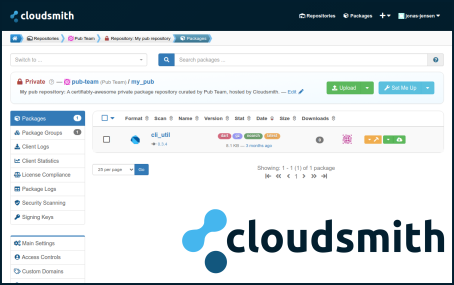
#Cloudsmith has been offering private and public Dart package repositories since 2020. Cloudsmith recently announced support for token authentication with their Dart package repository offering. For more information, check out the Cloudsmith documentation.
Dart support in JFrog Artifactory
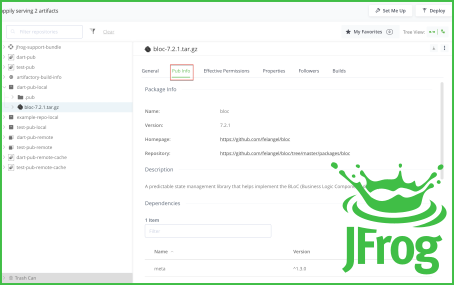
#JFrog Artifactory recently announced support for custom Dart package repositories, including support for layered repositories and mirroring packages from the public package repository on pub.dev. For more information, check out the JFrog Artifactory documentation.
Closing comments
#For those who would like to write their own custom package repository, we’ve published a specification for serving Dart package repositories. It’s fairly simple, but feel free to open issues on the pub.dev repository if aspects are unclear, or if you have any suggestions for improvements.
More from Dart

Dart in Google Summer of Code 2026
We’re excited to announce that the Dart project will mentor contributors for the seventh time in Google Summer of Code 2026!


Google Summer of Code 2025 Results
The Google Summer of Code (GSoC) program focuses on engaging new developers worldwide with open source software development. Google…
